Koi vs. BBEdit
Koi and BBEdit are both Mac-first text editors, but they emphasize different workflows.
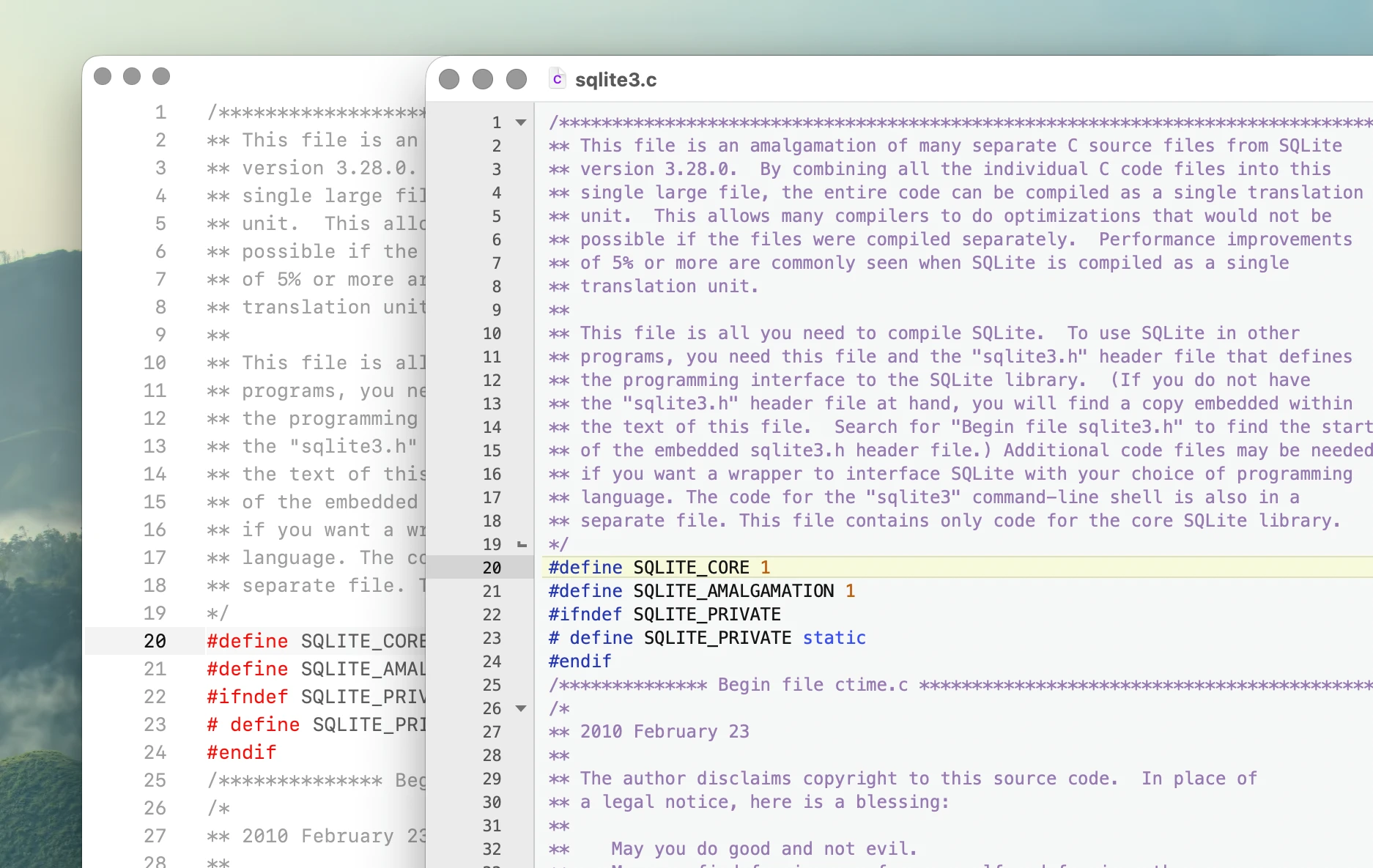
At a glance:
- Koi focuses on low-latency code editing, large files, local-first AI, and keyboard-driven document workflows.
- BBEdit focuses on text manipulation, search, file management, web development, and deep macOS integration.
Performance
Typing latency
Lower latency means the editor responds more quickly to each keypress. All measurements in milliseconds.
Dual pane displays the same document simultaneously in two editor panes while typing in one pane.
sqlite3.c (151,639 lines)
| Editor | Median | p95 | p99 | Max | Tail Spread | vs Fastest (p95) |
|---|---|---|---|---|---|---|
| Koi | 14.2 | 16.3 | 17.0 | 17.1 | 2.0 | 1.01x |
| BBEdit | 42.4 | 74.6 | 104.5 | 114.5 | 32.2 | 4.63x |
Dual pane:
| Editor | Median | p95 | p99 | Max | Tail Spread | vs Fastest (p95) |
|---|---|---|---|---|---|---|
| Koi | 14.0 | 16.0 | 17.4 | 17.4 | 1.9 | 1.00x |
| BBEdit | 36.1 | 78.7 | 110.2 | 111.2 | 42.6 | 4.93x |
BBEdit was tested with auto-complete disabled because it could not be reliably overridden in the tested configuration.
gcc.c (753,821 lines)
| Editor | Median | p95 | p99 | Max | Tail Spread | vs Fastest (p95) |
|---|---|---|---|---|---|---|
| Koi | 14.5 | 16.6 | 17.3 | 17.7 | 2.2 | 1.00x |
| BBEdit | 226.8 | 301.6 | 307.1 | 517.8 | 74.8 | 18.12x |
Dual pane:
| Editor | Median | p95 | p99 | Max | Tail Spread | vs Fastest (p95) |
|---|---|---|---|---|---|---|
| Koi | 14.6 | 16.4 | 17.5 | 17.7 | 1.8 | 1.00x |
| BBEdit | 251.6 | 304.1 | 310.6 | 524.4 | 52.4 | 18.53x |
The difference becomes substantially larger with the 753,821-line gcc.c file.
Large file handling
Large file performance measures whether an editor can open and navigate very large files while remaining responsive.
An editor passes when it opens and becomes responsive with syntax highlighting working throughout the document within 30 seconds.
| Editor | 1M lines | 5M lines | 10M lines | 20M lines |
|---|---|---|---|---|
| Koi | ||||
| BBEdit | - | - |
- BBEdit has degraded performance with the 1M-line file.
- The 5M-line file becomes very degraded and practically unusable during normal editing.
- BBEdit does not meet the benchmark requirements at 10M lines.
Large file memory usage
| Editor | 1M lines | 5M lines | 10M lines | 20M lines |
|---|---|---|---|---|
| Koi | 207.6 MB | 698.3 MB | 1.10 GB | 2.32 GB |
| BBEdit | 348.2 MB | 1.24 GB | - | - |
Memory is measured after opening, navigating, and editing the file and allowing the editor to settle.
Large file typing latency
P95 latency for each file size that remained usable enough to perform the latency test.
| Editor | 1M lines | 5M lines | 10M lines | 20M lines |
|---|---|---|---|---|
| Koi | 19.3 ms | 20.5 ms | 31.0 ms | 37.3 ms |
| BBEdit | 812.1 ms | - | - | - |
BBEdit was unable to complete the latency test on the 5M-line file.
Test environment
| Component | Value |
|---|---|
| Hardware | Mac mini M2 Pro, 16 GB RAM |
| Operating System | macOS 15.7.5 |
| Display | 60 Hz |
| Koi | 0.1.0-b207 |
| BBEdit | 15.5.3 |
Typing latency is measured using Keypress.sh, which records the time between a simulated keypress and the updated frame appearing on screen.
Graphical applications are launched directly from their bundled Mach-O executables.
The benchmark uses BBEdit 15.5.3. The feature comparison below reflects BBEdit 16.
See Benchmarks for the complete methodology, configurations, raw measurements, and results for other editors.
Text processing
BBEdit has a much broader set of built-in tools for manipulating text outside the immediate code-editing workflow.
| Capability | Koi | BBEdit |
|---|---|---|
| Regex search | Yes | Yes |
| Multi-file search | Yes | Yes |
| Multi-file search and replace | Limited | Yes |
| Saved text transformations | No | Yes |
| Batch transformations across files | No | Yes |
| Pattern development tools | No | Yes |
| Built-in HTML authoring tools | No | Yes |
| Built-in FTP/SFTP editing | No | Yes |
BBEdit's long-standing strengths include grep-based search and replace, Text Factories, text transformations, Pattern Playground, HTML tools, and processing text across sets of files and folders.
Text Factories can combine multiple transformations and apply them to documents, selections, files, or folders without writing a program.
Koi's text tools are centered more narrowly around editing source files quickly, searching a project, and manipulating text directly in the editor.
Workflow
Both applications are native Mac editors and both support multiple documents and multiple windows, but their organization differs.
| Feature | Koi | BBEdit |
|---|---|---|
| macOS only | Yes | Yes |
| Multiple documents per window | Yes | Yes |
| Shared document across multiple windows | Yes | Yes |
| Split view of same document | Yes | Yes |
| Tab multi-select | Yes | No |
| Automatic side-by-side layout from selected files | Yes | No |
| Drag documents between windows | Yes | Yes |
| File explorer | Yes | Yes |
| Search files by name | Yes | Yes |
| FTP/SFTP browser | No | Yes |
-
Koi uses tabs as the primary representation of open documents. Multiple tabs can be selected to display their documents side by side, and the layout changes automatically as files are added to or removed from the selection.
-
BBEdit uses a document sidebar and project-oriented model. Multiple documents can live in one window, documents can move between windows, and the same document can be displayed in more than one window with changes synchronized.
Automation
Both editors are scriptable, but the scripting models are different.
| Capability | Koi | BBEdit |
|---|---|---|
| Direct editor scripting | Python | AppleScript |
| Unix scripts and filters | Yes | Yes |
| Python scripts | Yes | Yes, as Unix scripts |
| Direct Python editor API | Yes | No |
| Text filters | Via scripts | Yes |
| macOS Shortcuts integration | No | Yes |
| Automator integration | No | Yes |
| Batch automation without programming | No | Yes |
Koi exposes its editor API directly to Python.
A user command can be added by editing the scripts file:
- Write command,
def sort_imports(): ... - Save
- Run
This is intended for modifying editor behavior and adding commands directly to the editing workflow.
BBEdit takes a more macOS- and text-processing-oriented approach. It supports AppleScript, Unix scripts and filters, Automator, Shortcuts, script attachment points, and Text Factories. Unix scripts can be written in languages such as Python, Ruby, Perl, or shell, but they do not use an embedded Python editor API like Koi.
AI
Both editors now support local AI, but use it differently.
| Capability | Koi | BBEdit |
|---|---|---|
| AI code completion while typing | Yes | No |
| Inline AI editing command | Yes | No |
| AI chat | Inline | Worksheet |
| Ollama support | Yes | Yes |
| Built-in cloud AI services | No | Yes |
| AI required for editing | No | No |
-
Koi integrates AI directly into the editing workflow. Local Ollama models can provide fill-in-the-middle code completion while typing, and inline chat can operate on the current file or selection.
-
BBEdit provides AI Chat Worksheets. These support ChatGPT, Claude, and Ollama, with each conversation stored in an editable worksheet document.
The difference is primarily workflow: Koi uses AI for inline editing and completion, while BBEdit uses a worksheet-based chat model.
Code intelligence
BBEdit has built-in support for the Language Server Protocol, while Koi currently keeps its core code-editing model lighter.
| Capability | Koi | BBEdit |
|---|---|---|
| Built-in syntax highlighting | Yes | Yes |
| Built-in text completion | Yes | Yes |
| Context-aware auto-complete | Yes | Via LSP |
| LSP client | No | Yes |
| Find definition/reference through LSP | No | Yes |
| LSP diagnostics | No | Yes |
| AI code completion | Yes | No |
- BBEdit can use installed language servers for completion, diagnostics, parameter help, formatting, definitions, and references. Language servers run locally and are not bundled with BBEdit.
- Koi instead provides lightweight context-aware auto-complete from the current document and optional local AI code completion.
Ownership
Both editors can be used without a recurring subscription.
| Capability | Koi | BBEdit |
|---|---|---|
| Perpetual license available | Yes | Yes |
| Free use | Non-commercial | Free Mode |
| Account required for editing | No | No |
| Subscription required for Personal use | No | No |
| Recurring license available | Teams/Business | Mac App Store |
| Future major updates included | Partial | No |
| Source available | No | No |
- Koi Personal licenses are a one-time purchase and include future updates for the lifetime of the product. Team and Business licenses are renewed annually. Non-commercial use is free.
- BBEdit can be used indefinitely in Free Mode after its 30-day full-feature evaluation. A direct BBEdit license is perpetual for the purchased major version, with maintenance updates included. Future major versions may require a paid upgrade.
- BBEdit is also available through the Mac App Store as a monthly or annual subscription.
Summary
Choose Koi if you value:
- Lower measured typing latency
- Large-file editing
- Inline local AI and code completion
- Context-aware auto-complete
- Tab multi-select
- Direct Python editor scripting
- A focused code-editing workflow
- Lifetime updates with a Personal license
Choose BBEdit if you value:
- Advanced grep and multi-file text processing
- Text Factories and batch transformations
- Projects and file-management tools
- FTP/SFTP editing
- AppleScript, Shortcuts, Automator, and Unix integration
- Language Server Protocol support
- AI chat worksheets
- A mature Mac-native text-processing environment
Related: